

My Networking
tags
Keep up with the latest news
Configuring FreeRadius for 802.1x
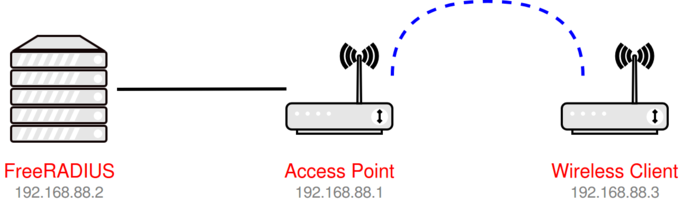
Guide to installing an alternative Radius service, for those who may have implemented Windows NPS Server - License Free and Open Source, Enterprise Ready
In a pervious post, I covered the steps to deploy the current stable release of FreeRadius, by installing the packages from the NetworkRadius organizations repository. We will now, focus on configuring the FreeRadius server so that it can authenticate 802.1x requests. Why? Why would we go to this trouble, especially given the fact that Windows has shipped with its own NPS service, for the past 20 years? Simple really, In the world of Cloud First, many customers are now selecting the option of Azure AD Joined only, for their machines in preference to AD Joined, or even Hybrid Joined.
Read moreExtracting Public and Private Certificates from a PFX

PFX files enable to transportation of certificates between systems, however many services require separate files for both public and private certificates
Using OpenSSL, we can extract the private key, and the certificate into independent file’s, which is required for most networking devices, and linux services. You will need to install the OpenSSL package, either on your Windows or Linux system (I have covered how to update the current version on Linux here) Export the private key from the PFX file We begin, by passing in the PFX and requesting the Private key to be placed into its own file.
Read moreCreating a PFX from a certificate in Windows

Windows stores certificates in a special logical store, in this post we check out two methods to export certificates with their private key to PFX files
A .pfx file is in essence an archive which can contain multiple objects, and can also be password protected; The format of this file is known as PKCS#12 Typically, a .pfx usually contains one or more certificate, typically the chain of upstream authorities, and the corresponding private key. The most common usage of a PFX file is simplify certificate distribution to alternate systems or deployed to services. Logical stores Within Windows, all certificates exist in logical storage locations referred to as certificate stores.
Read moreCreate PKI Certificate for Linux Server

Using OpenSSL we learn how to create a Certificate Request from Linux node, to issue a certificate from a Windows PKI Server
At some point, you will have the requirement of creating a certificate request, and submitting this to an online certificate authority, which will process the request and issue you a certificate with both a Public and Private Key. In this post, we will use the ‘OpenSSL’ utility to create such a request file, and walk trough the steps of issuing a certificate from a Windows PKI Server. Creating our Certificate Request We will create a Certificate Request template file which defines the settings which are necessary to also include Subject Alternate Name in the issued certificate.
Read moreOpenSSL 1.1.1k on Ubuntu

A simple guide to installing the current version of the OpenSSL utility on Ubuntu Linux
Being over 25 years old, OpenSSL can be found on just about any system you work with today; but this does not imply that the version installed is current (or even close). During its life, there have been many instances where OpenSSL has been in the news, where some new vulnerability has being discovered, and quickly after, patched. The Swiss Army Knive of SSL Certificate’s, this is a tool that everyone should have at least used once in their administrative duties.
Read moreInstalling FreeRadius
Guide to installing an alternative Radius service, for those who may have implemented Windows NPS Server - License Free and Open Source, Enterprise Ready
FreeRADIUS is an open source, high-performance, modular, scalable and feature-rich RADIUS server. It ships with both server and radius client, development libraries and numerous additional RADIUS related utilities, for Linux FreeRADIUS supports request proxying, with fail-over and load balancing, as well as the ability to access many types of back-end databases. RADIUS, which stands for Remote Authentication Dial-In User Service, is a network protocol used for remote user authentication and accounting.
Read moreConfigure Wireguard on UniFi USG

Installing and Configuring Wireguard on the UniFi Security Gateway
Install the Wireguard Package SSH directly to your USG, and run the following commands: curl -L https://github.com/Lochnair/vyatta-wireguard/releases/download/0.0.20190123/wireguard-ugw3-0.0.20190702-1.deb -o /tmp/wireguard.deb dpkg -i /tmp/wireguard.deb Create the Tunnel Secrets To keep stuff private, we will encrypt the traffic using a long password, known as a ‘Key’. To make sure this is unique, we will use a tool provided by Wireguard to make a random key for us. cd /config/auth umask 077 mkdir wireguard cd wireguard wg genkey > wg_private.
Read more01. About Author

Damian Flynn
I define myself as an evangelist; an entrepreneur & author with an ideology rooted in business insights, technology exploration, pattern analysis and high energy. I envision, theorize and develop system architecture and strategic business platforms, soaked in storytelling and innovative technology.
02. Last Posts




- Page 1 of 1